#
Deploying Vehicles
Deploying vehicles locks them, displays them on the rider map, and makes them available for hire by riders. The JOLT Ops app streamlines this process and makes vehicle deployment very quick.
Deployment Standard Operating Procedures:
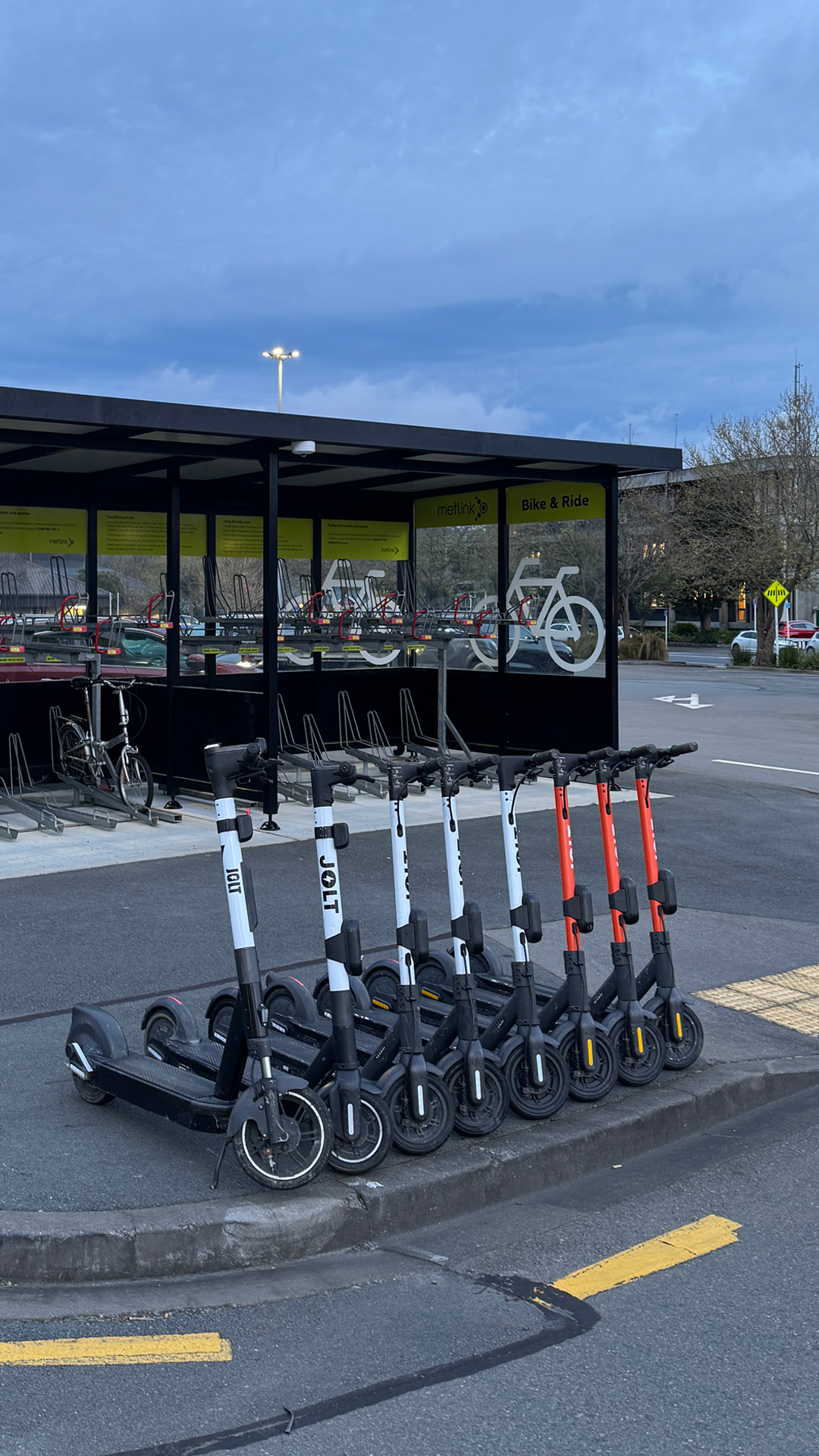
- Vehicles must be spaced far enough apart to ensure a rider can easily hire a scooter in the middle.
- Vehicle handlebars must all be facing to the left.
- Vehicles must not be blocking any accessways or footpaths.
- Vehicles must be parked straight and neat.
#
Deployment Process
Home Screen
Press the Deploy tile from the Home Screen
A map will appear displaying black tiles with how many spots are available at that drop spot. Example: 🛴 5
Tap the button at the bottom of the map to load your scanner.
Scan all the vehicles you wish to deploy at that Drop Spot and click at the bottom of your screen.
The deployment process will start, and you will receive a summary of the deployment, including any issues. Some markets may require a photo of the vehicles you are deploying. If so, please stand back and ensure all vehicles are within the frame.
#
Parking Examples
| ✅ Good Parking | ❌ Bad Parking |
|---|---|
 |
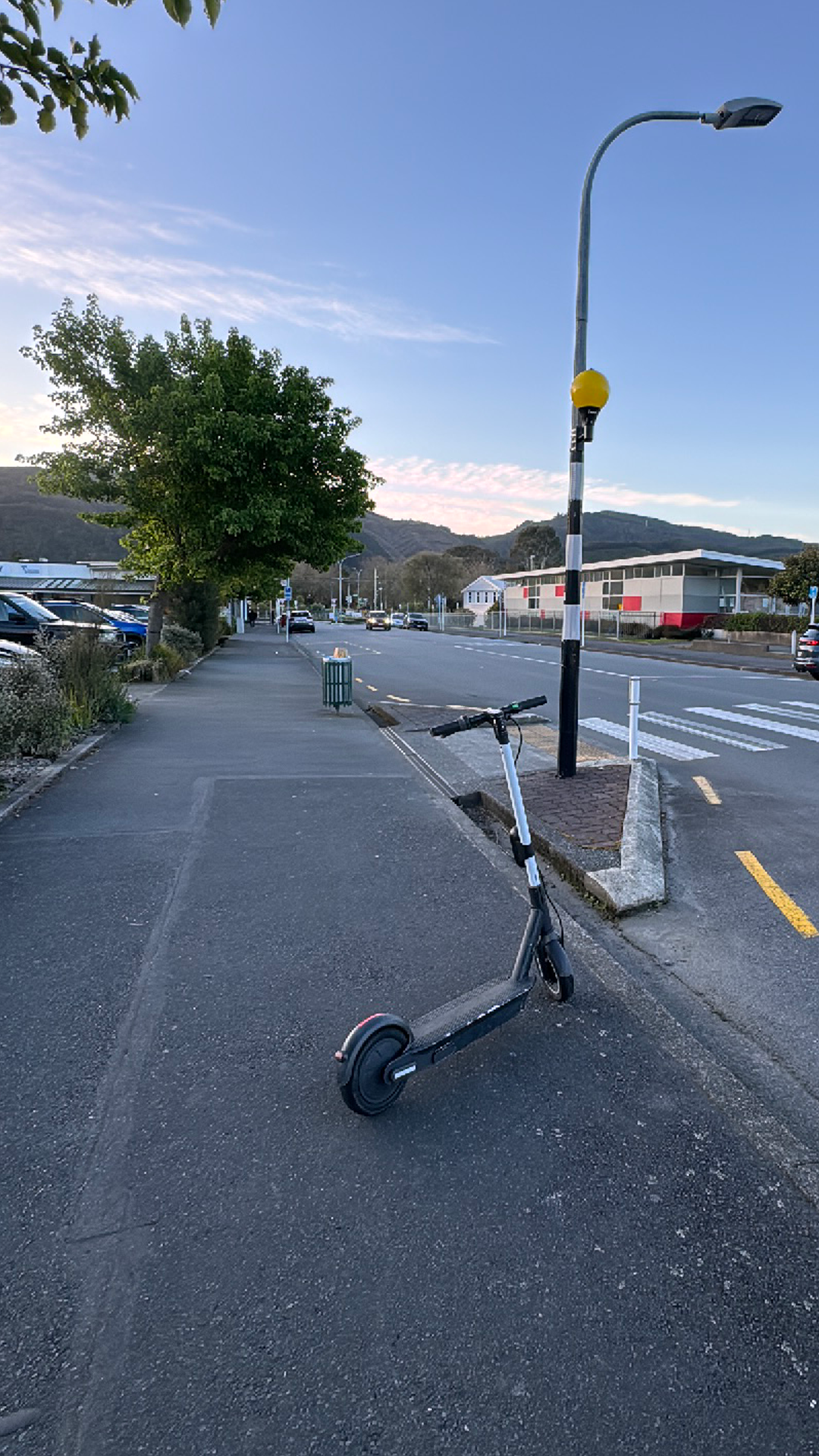 |
| Good Seperation, All Facing Left, Straight and Aligned, Out of the way | Blocking Sidewalk, Too close to road, Too close to crossing, Angle |
| Vehicles can be parked close to the road if the sidewalk is large | This vehicle should be parked parallel to the sidewalk and should be close to the trees / bushes |